PoolCheckPro turns a pool or hot tub test strip into a clear to-do list. Dip a strip and photograph it. PoolCheckPro reads every pad against the colour chart from your own strips’ package, then tells you what to add and in what order.
Coming soon to the App Store
Scan
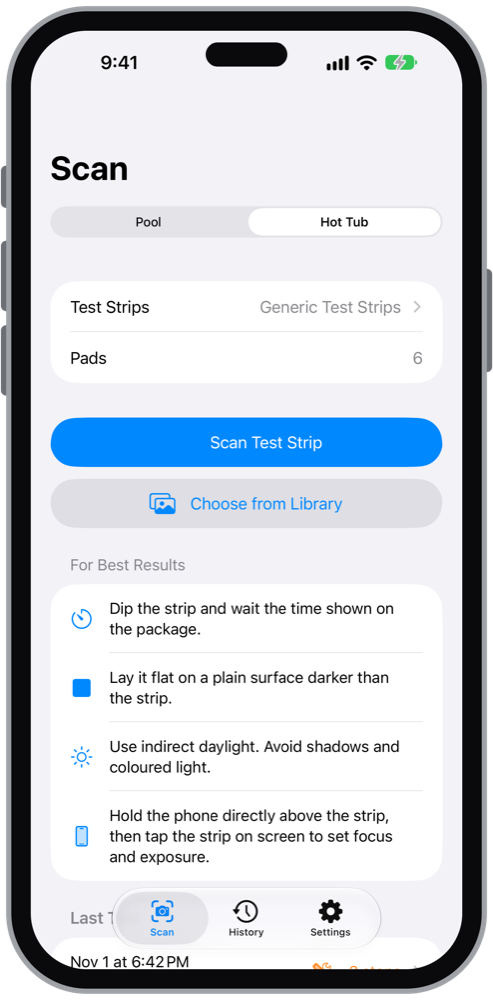
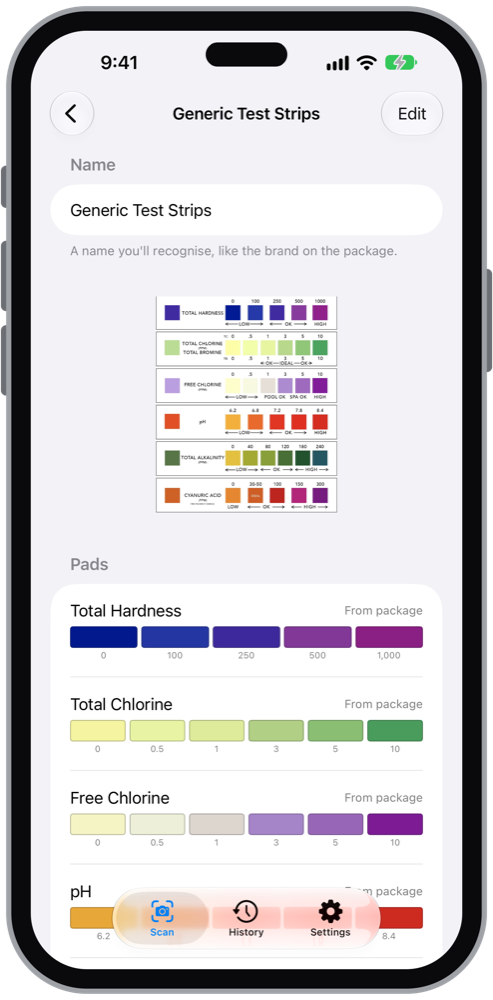
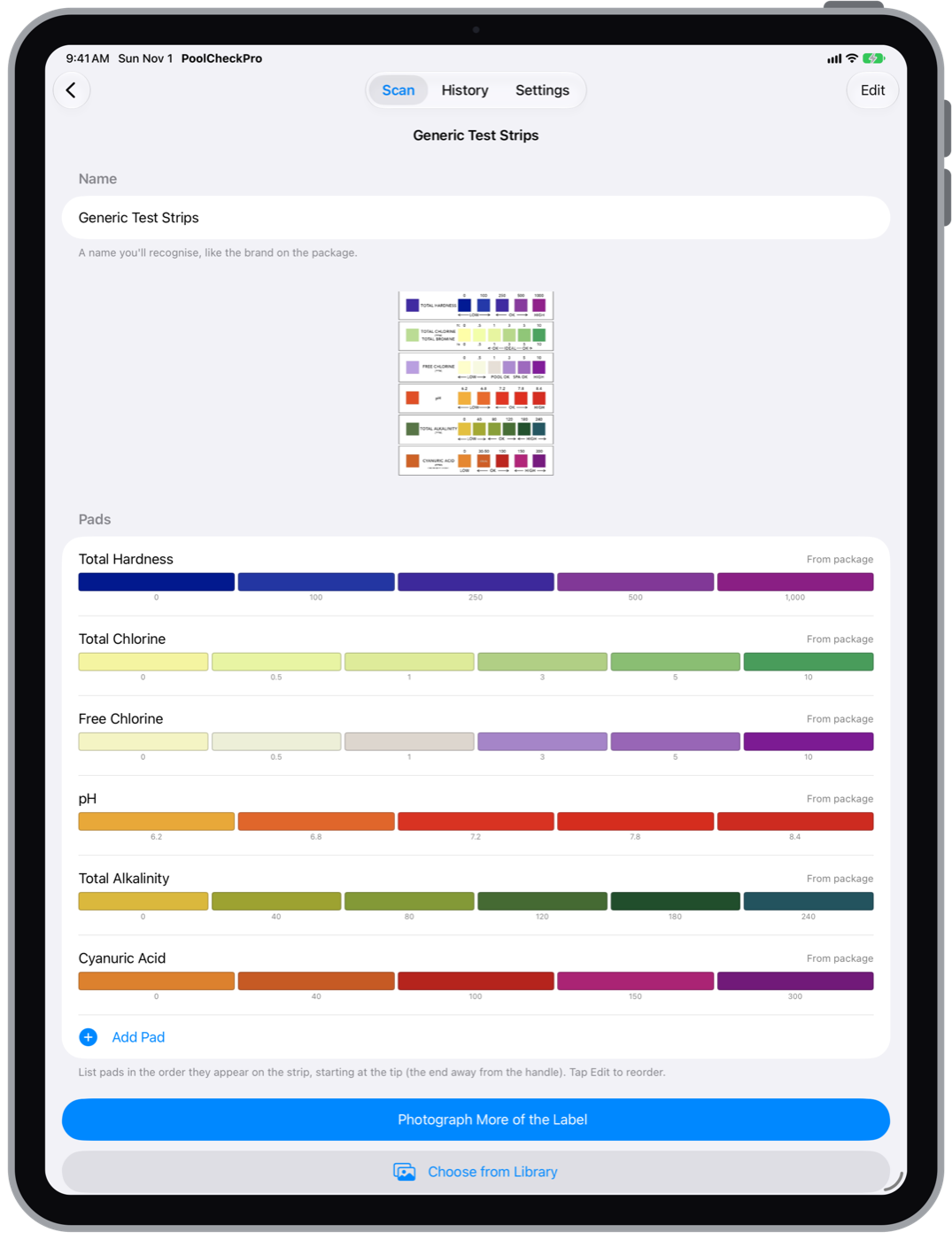
- Reads your brand’s colours. Photograph the colour chart on the bottle or package once. PoolCheckPro reads which pads your strips have, their order and the colour scale for each one, so readings match your strips rather than a generic chart. Charts that wrap around a bottle can be added in more than one photo.
- Checks the photo first. Too dark, blurry, or tinted by coloured light? PoolCheckPro tells you how to retake it instead of guessing.
- Every pad. Free and total chlorine, bromine, pH, total alkalinity, total hardness and cyanuric acid (stabilizer). It also works out combined chlorine.
- Honest about uncertainty. When a colour falls between two values on the chart, you’ll see the range it could be.
What to do
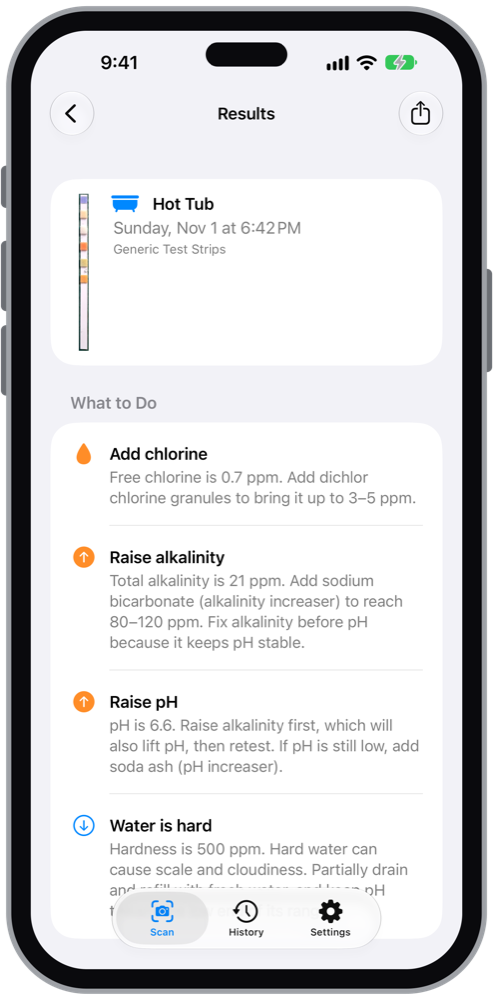
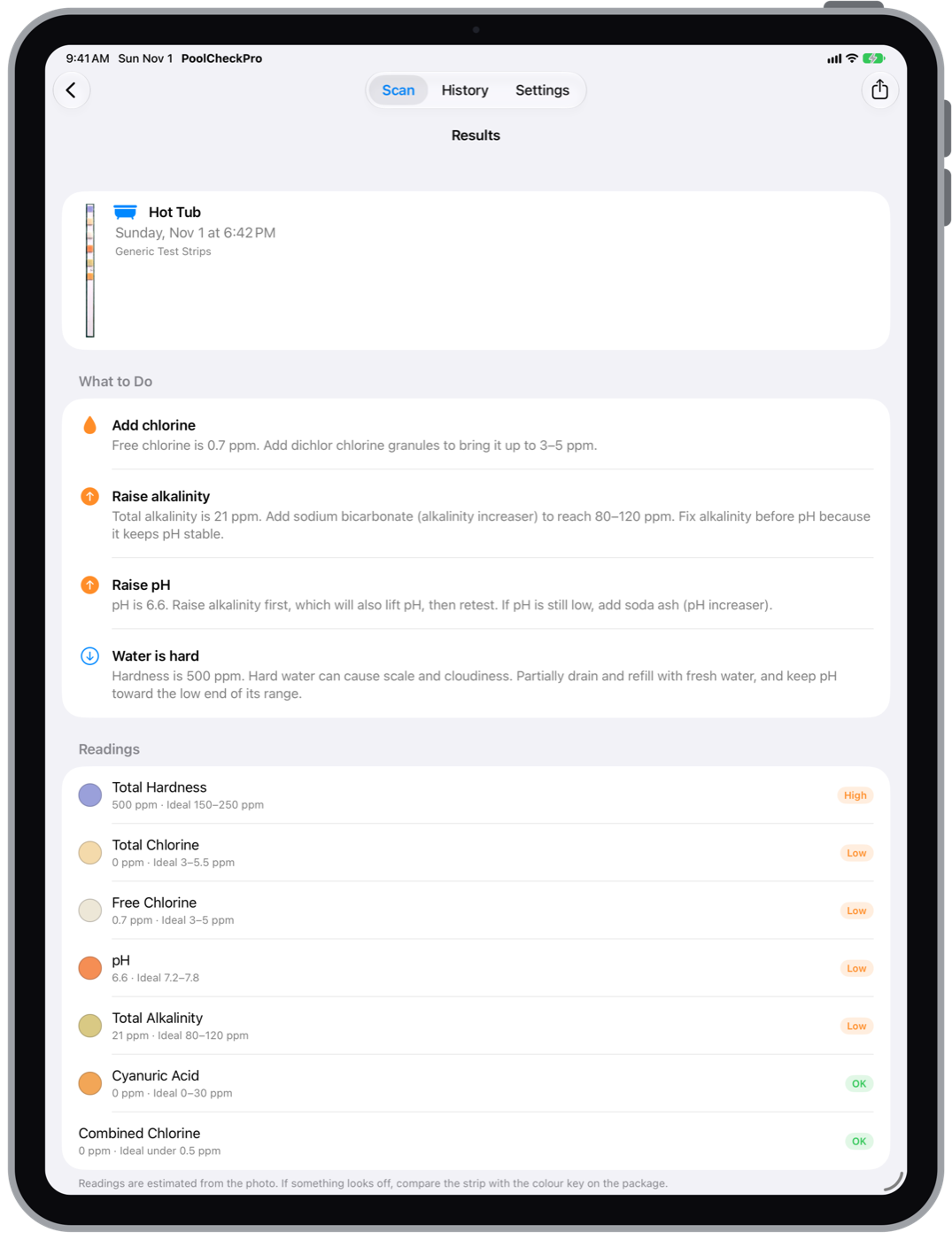
PoolCheckPro doesn’t just show numbers. It turns them into steps, in the right order:
- Shock when combined chlorine builds up, or add chlorine or bromine when it’s low
- Fix alkalinity before pH, because alkalinity keeps pH stable
- Warn when chlorine is too weak for your stabilizer level
- Flag hard or soft water, and stabilizer that’s too high or too low
Ideal ranges are different for pools and hot tubs, and PoolCheckPro uses the right ones for each.
Pools and hot tubs
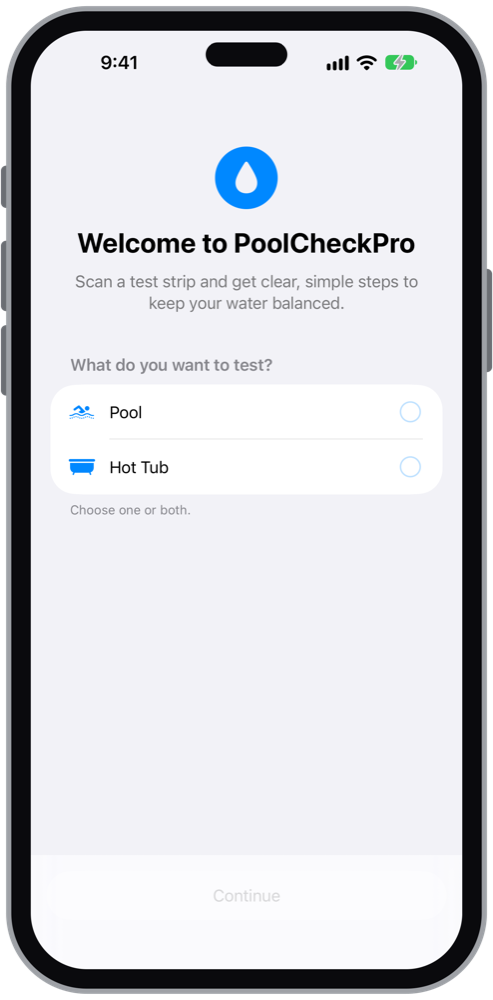
- Set up a pool, a hot tub, or both, each with its own test strips
- Chlorine or bromine, including strips with a shared total chlorine/total bromine pad
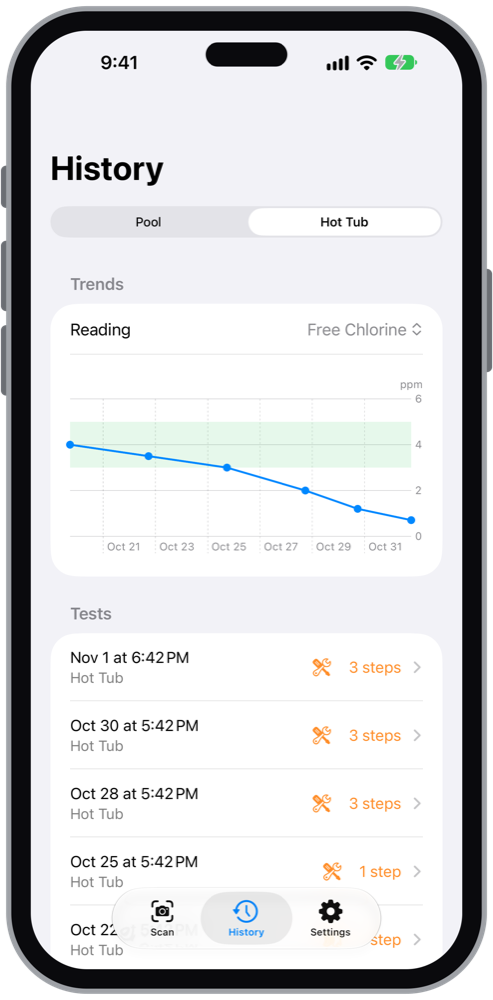
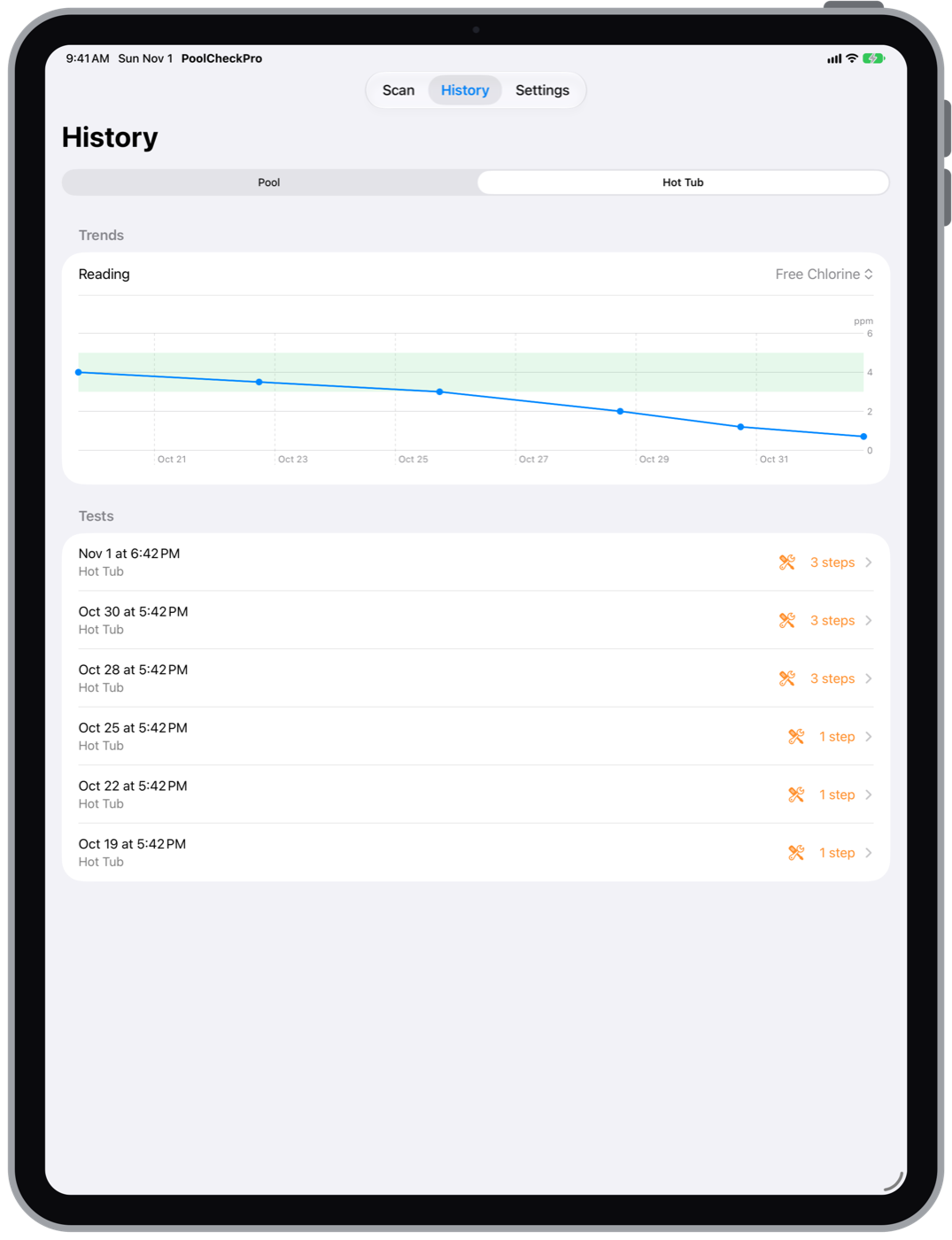
- History for each, with a chart of any reading over time against its ideal range
- Share a result as text, for example with your pool store
No account, no ads, no tracking. Your results stay on your device.
On iPad
Support
For questions, bug reports or feature requests, email [email protected]. Please include your device, its iOS or iPadOS version, the brand of test strips you use and, if you can, the photo that didn’t read correctly.
PoolCheckPro gives guidance based on your test strips and commonly recommended ranges. Always follow the directions on your chemical products.
Privacy
PoolCheckPro doesn’t collect any personal information. Read the privacy policy.